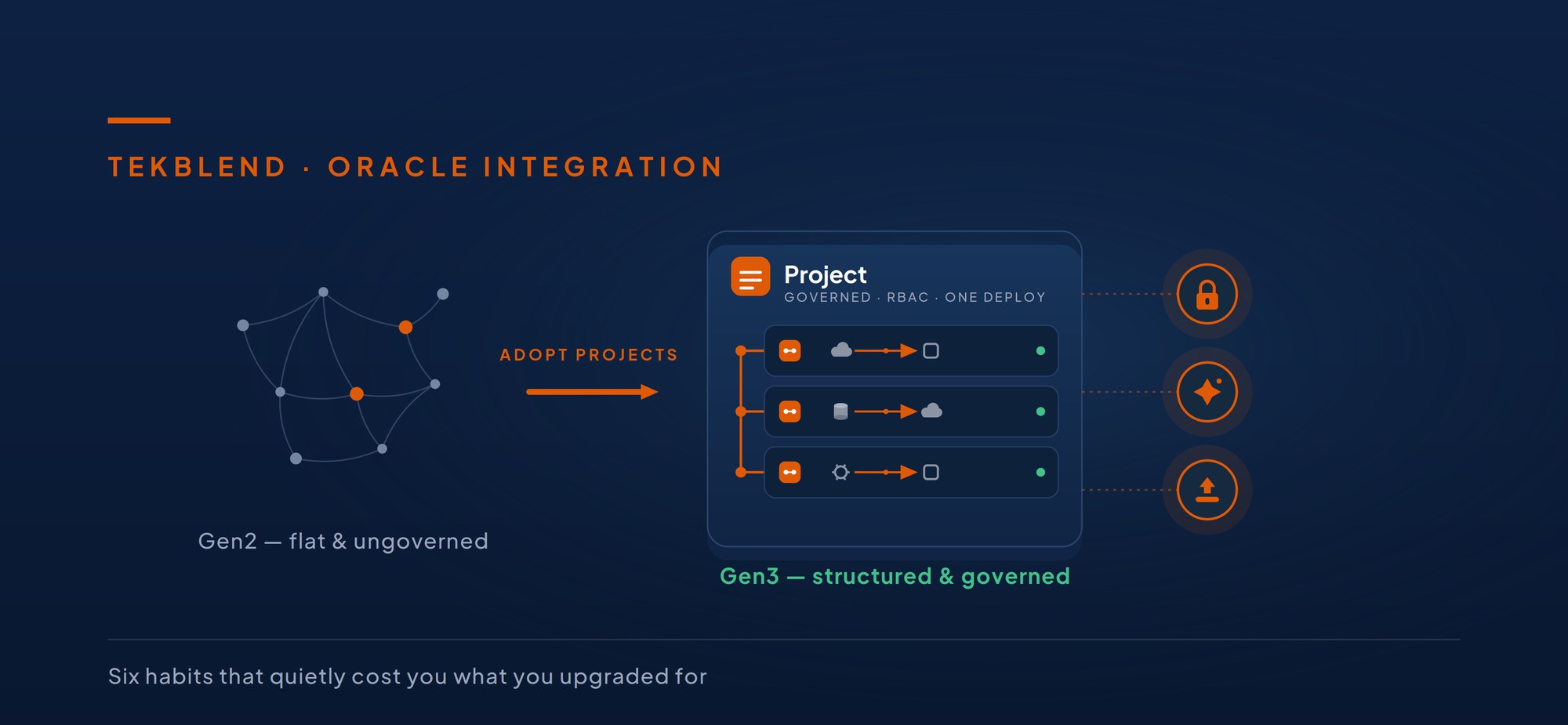
Most Oracle customers have made the jump to Oracle Integration 3. Far fewer have actually changed how they build. The instance is new; the habits are old.
It’s an easy trap to fall into. Getting your artifacts across no longer takes a heroic effort — Oracle ships a package conversion tool that copies a whole package into a project in minutes, and leaves the original untouched. So teams run the tool, see everything land safely, tick the box, and move on. Job done.
Except the job isn’t done. Converting your artifacts is not the same as adopting Projects. A Project isn’t a folder you drop things into — it’s a first-class unit with its own permissions, its own deployment pipeline, and its own artifact model. Used as a glorified directory, it changes nothing: you’ve inherited a new structure while keeping all the old friction.
Same platform. Two completely different ways to run it.
| Gen3, run like Gen2 | Gen3, adopted properly |
|---|---|
| ✕ One flat list of integrations | ✓ Projects with real boundaries |
| ✕ Everyone has blanket access | ✓ Per-project role-based access |
| ✕ Promote one integration at a time | ✓ Deploy a release as one unit |
| ✕ New AI capabilities out of reach | ✓ AI agents & automation in reach |
| ✕ Same estate, new label | ✓ A smaller, cleaner estate |
Here are the six most common ways teams stay on the left — and what each one quietly costs.
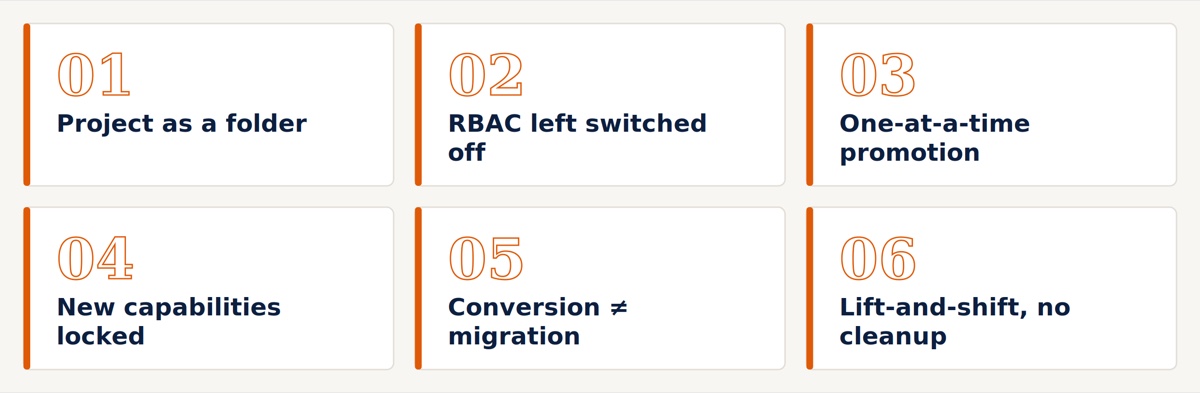
01Treating a Project as a folder
The most common pattern: run the conversion tool, watch forty integrations land in one project, and call it migrated.
A Project earns its keep when its boundaries mean something — when each one maps to an owner, a lifecycle, and a deployable unit. One sprawling project containing everything reproduces exactly the flat, ungoverned estate you had in Gen2, just with a different label on it.
02Ignoring RBAC entirely
In Gen2, access control was coarse. In Gen3, a Project is a first-class citizen with its own role-based access control — you decide who can edit, who can view, and who can only monitor, per project.
Most teams never touch it. Everyone keeps blanket access, exactly as before. That’s fine until you’re audited, or until a developer edits a production integration they were never supposed to see, or until a contractor arrives and there’s no clean way to scope what they can reach.
A Project isn’t a folder. It’s a first-class unit with its own permissions, pipeline, and lifecycle.
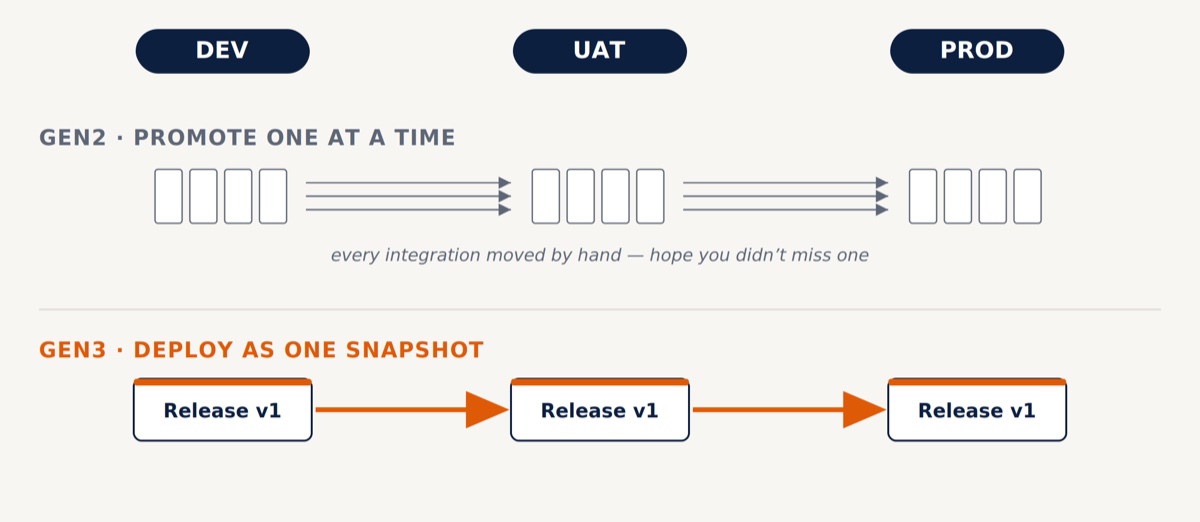
03Still promoting integrations one at a time
The old way to move work from DEV to UAT to PROD was integration by integration, by hand. Slow, error-prone, impossible to reason about as a release.
Projects give you deployments: a snapshot of exactly which integrations and which versions belong together, promoted as one controlled unit. That’s the difference between "we shipped a release" and "we activated nine things individually and hope we didn’t miss one."
04Leaving the new capabilities locked in the box
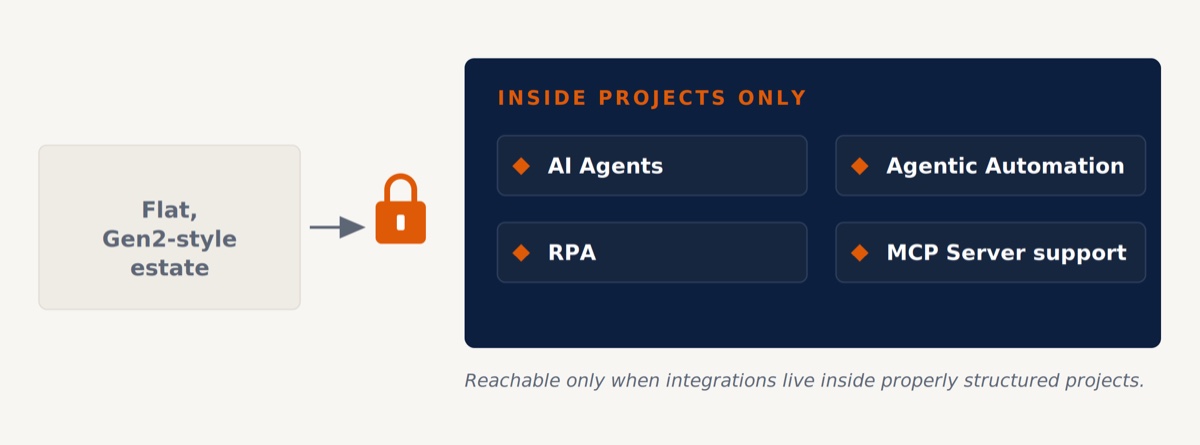
This is the expensive one, because it’s the reason you upgraded in the first place.
Oracle’s new capabilities — AI agents, agentic automation, RPA, MCP server support — are being delivered on Projects only. If your estate is still organised the Gen2 way, you’re not one configuration change away from these features; you’re locked out of them until your integrations actually live inside properly structured projects.
05Assuming the conversion tool did the migration
This is the one that causes actual outages, and it’s the one almost nobody warns you about.
The tool copies your artifacts in minutes — and that speed is exactly what’s dangerous, because it copies your integrations without repointing the world around them. A project is a self-contained namespace, so the moment an integration lands inside one, its runtime endpoint URL changes. Here is the dependency chain that detonates:
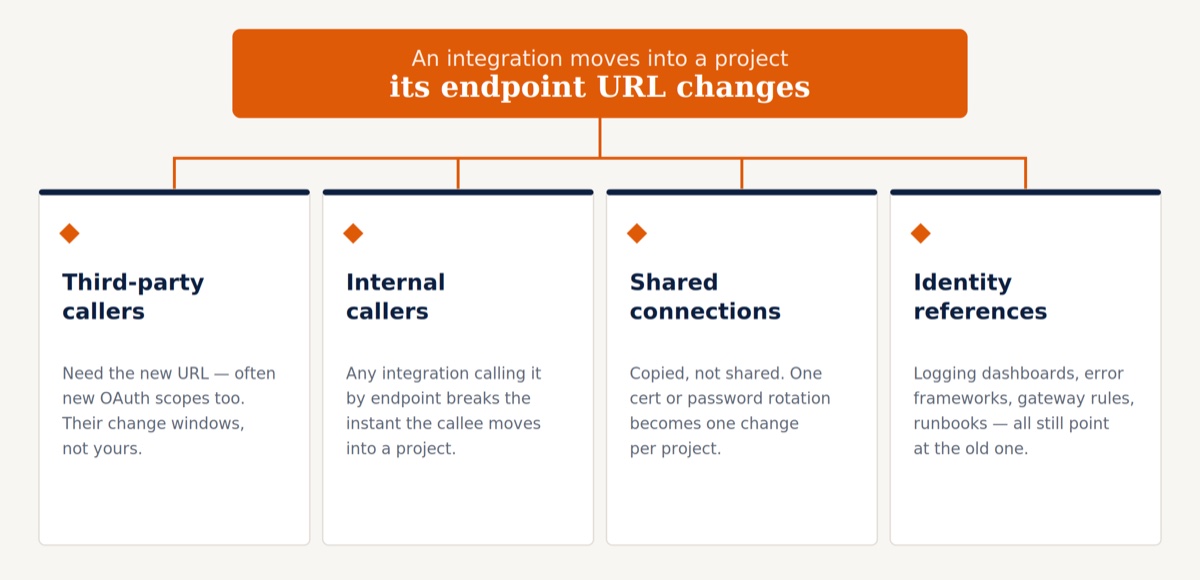
So "a couple of minutes" is true and completely misleading at the same time. The copy takes minutes. The migration — repointing every consumer, coordinating the external ones, rotating duplicated credentials, re-testing every path, and only then decommissioning the original — is the real body of work.
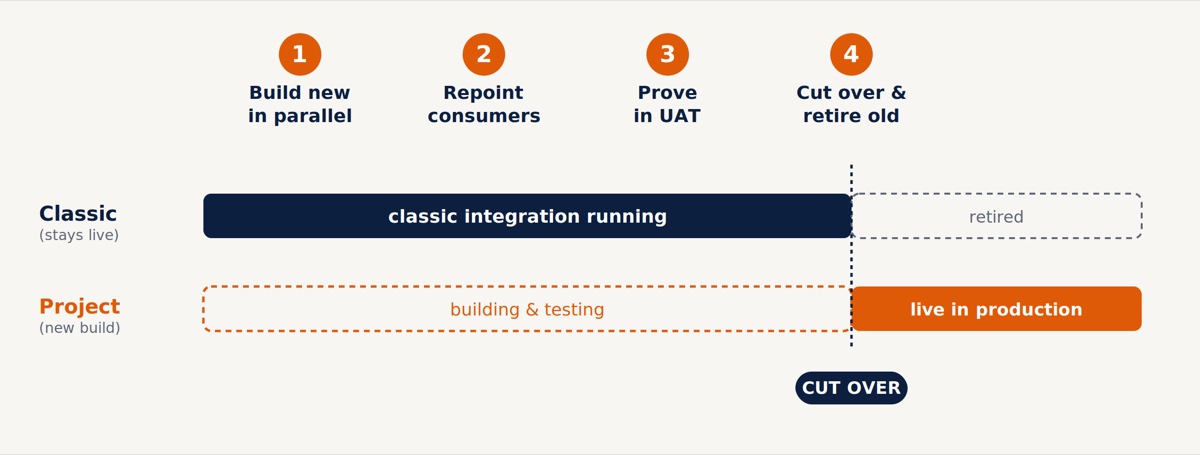
Anyone who tells you Projects migration is a button has never had to phone a third party and ask them to change a URL.
06Lift-and-shift instead of rationalise
The temptation is to move everything across exactly as it is. But the migration is the one moment you have permission to clean house — and most teams waste it. A few things genuinely don’t come along for free:
- Accelerator and recipe packages can’t be converted with the tool.
- Basic authentication for the connectivity agent is gone in Gen3, replaced by OAuth2 — anything on the old auth model needs rework, not relocation.
- Every estate carries dead integrations, duplicated connections, and patterns that were workarounds for Gen2 limits that no longer exist.
How to tell if this is you
If most of these are true, you’ve migrated the instance — but not the way you work:
- All (or most) of your integrations live in a single project.
- RBAC is effectively off — everyone has the same access they had in Gen2.
- You still activate integrations individually to promote between environments.
- You haven’t touched AI agents or any of the Projects-only capabilities.
- Nobody has mapped which third parties and integrations call your endpoints directly — so no one can say what a conversion would break.
- Your Gen3 estate has roughly the same number of integrations as your Gen2 one — nothing was retired in the move.
None of this means anything is broken. Your integrations run — which is exactly why it’s so easy to leave alone. But "it still runs" is the Gen2 standard. Gen3 was supposed to buy you governance, clean releases, and a path to AI. Run it like Gen2, and you’re paying for all three and using none of them.
We help teams that moved to OIC Gen3 actually adopt it.
Project structure, RBAC, and deployment pipelines designed around how your business runs — dependencies mapped before anything moves, and the platform’s newer capabilities brought into reach.
If two or three of those points hit close to home, the useful next step is a short review of your current Gen3 estate: what you’d gain by adopting Projects properly, what would break on the way, and the safe order to do it in.
A short, focused review of your OIC Gen3 estate — what you’d gain, what would break, and the safe order to do it in.